People using Maya eSIM while traveling
HOW IT WORKS

From setup totouchdown

Everything about setting up, using, andtroubleshooting your Maya eSIM.

ONE TIME

Set up

Step 1

Purchase a plan in the app or at maya.net

Step 2

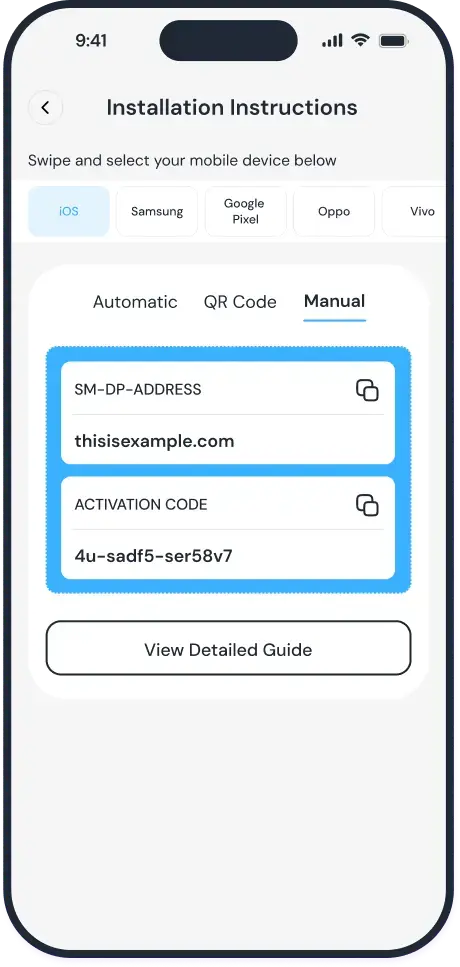
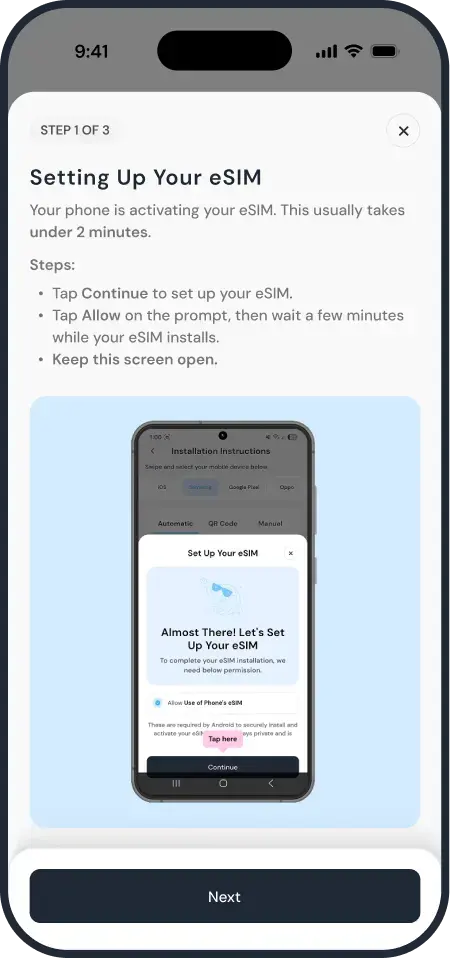
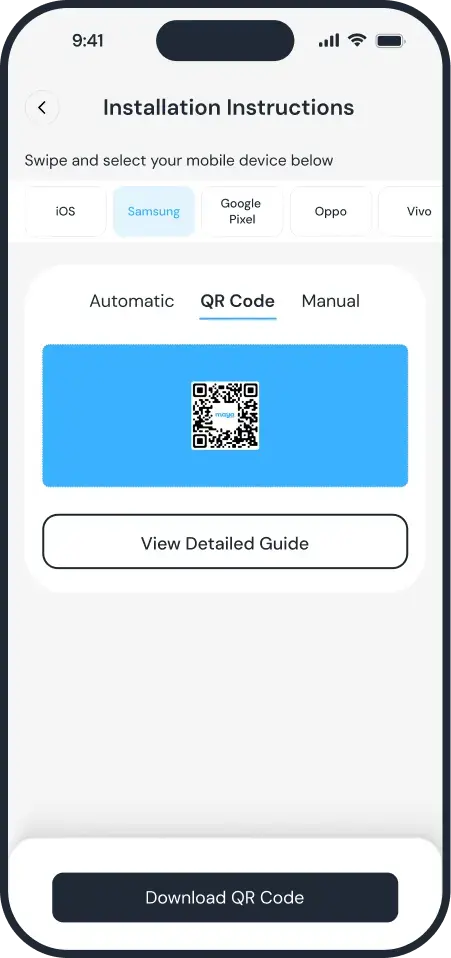
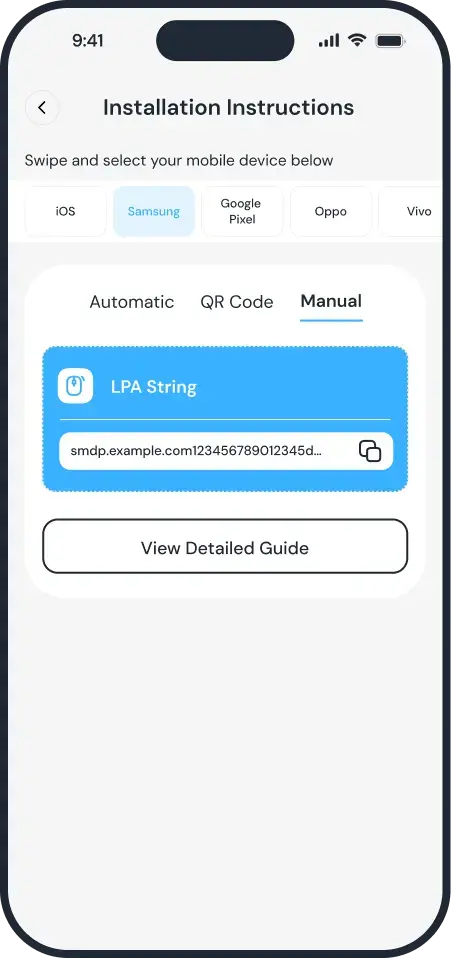
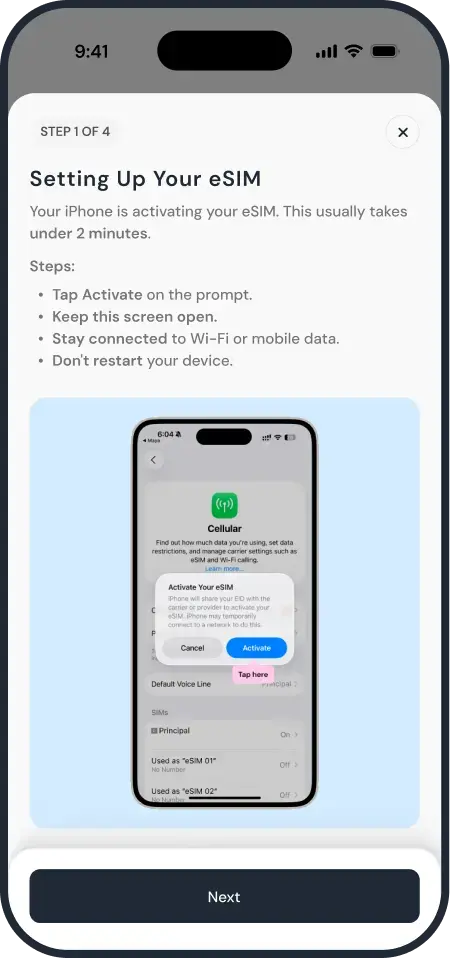
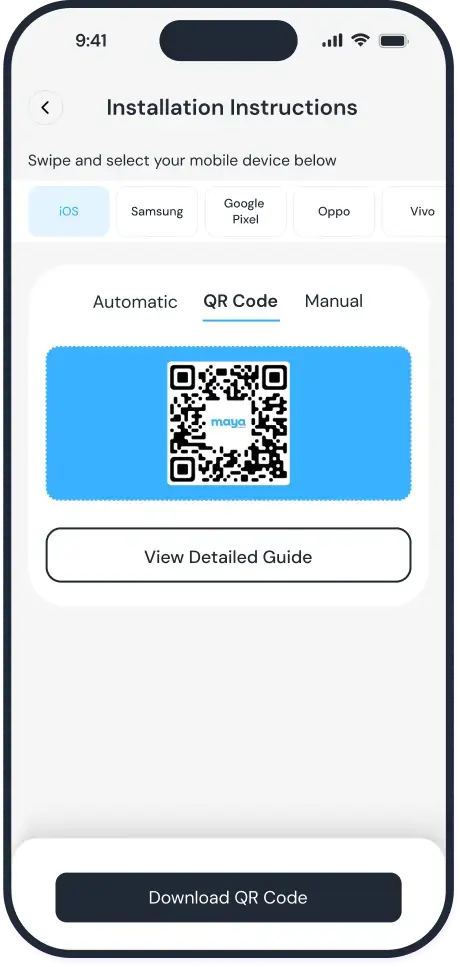
Install your eSIM. Takes 2 minutes. Works alongside your existing SIM.

Step 3

Turn on your Maya eSIM when you land. Your plan is active and you're connected. You'll never need to install again.
EVERY TRIP

How it works

Turn your Maya eSIM on in your phone settings.

Auto Top-Up

Auto Top-Up is off:

Your plan runs until it expires and stops. No further charge.

Coverage: Works in 165+ countries.

Your home number: Always on, no matter what.

Cost: From USD 1.67/day. No subscription. No lock-in.

IF SOMETHING'S OFF

Troubleshooting

Make sure you are connected to Wi-Fi or cellular data before you start. eSIM installation requires an internet connection.

Check that your Maya eSIM is switched on and selected for Cellular Data in your phone settings.

Buy a new plan in the Maya app in under a minute. Your eSIM stays on your phone and is ready to go instantly.

3 Easy Ways to Install your eSIM

3 Easy Ways
to Install your eSIM

Need help?
Just say hi

WhatsApp support, in your time zone. Drop us a message and we'll get back to you fast.

WhatsApp Chat

24/7. Any timezone.

Chat on WhatsApp
globe mascot holding notebook

Support Request

Submit your request and we'll get back to you soon.

Submit Contact Request